Showing posts with label Google Assistant. Show all posts

Saturday, February 4, 2023

Making Your Home Automation Work for You and Your Guests: A Guide to Smart Home Guest Management

Home automation is a fantastic way to make your home more comfortable and reduce the amount of manual work you need to do. Automating your lights, locks, and other devices can be a great time-saver, but sometimes things can go wrong when your schedule changes. One such example is when you have house guests, who can throw off the regular routines in your home and cause helpful automations to become disruptive.

In this blog post, we will cover the current setup in our home and the adjustments we made to our home automation to better handle house guests. We will discuss the changes made to our Google Assistant routine and Roomba vacuum schedule and provide examples of how to make similar adjustments in your home.

Current Setup:

In our home, we use a Google Assistant routine to say "Good night" and turn off the lights around the house, and lock the doors. This works well when the schedule in the house is regular, but when things change, such as having guests over, it can cause problems. For example, the routine would normally turn off the lights in the guest room, but when guests are staying over, this can be quite disruptive as the lights and fan could turn off unexpectedly.

Another issue we faced was with our Roomba vacuum, which would vacuum the downstairs at night, including the guest room. When guests are staying over and the guest room door is closed, the vacuum would bang against the door at night, causing discomfort to the guests.

Adjusting the Home Automation for Guests:

To better handle having house guests over, we made some adjustments to our home automation setup. The first thing we did was create a toggle helper, in Home Assistant, that would represent when the guest room is occupied at night. With this helper, we made the following adjustments to our home automations:

Friday, January 27, 2023

Upgrading to Lennox iComfort S30


If you're looking to upgrade your thermostat, you might be wondering about the differences between the Lennox iComfort WiFi thermostat and the Lennox iComfort S30 thermostat. While both thermostats offer a range of features to help you control and optimize the temperature in your home, there are some key differences between the two that might make one a better choice for you than the other.

One of the main differences between the iComfort WiFi thermostat and the iComfort S30 thermostat is their connectivity options. While both support connecting to your home's WiFi network, the S30 has more connectivity capabilities once connected.  Once connected to your home network, the updated thermostat supports connecting to Amazon Alexa and Google Assistant.  This enables you to use your voice to control your HVAC system.

It can also be integrated with Home Assistant, with this integration.  This integration supports communicating with the S30 over the local network, for fast reliable communication, and via the cloud.  Once integrated with Home Assistant, the thermostat can be made available to voice assistants with the single voice assistant integrations used for Home Assistant, 

Another difference between the two thermostats is the size of their screens. The iComfort WiFi thermostat has a 3.5-inch color touchscreen display, while the iComfort S30 has a 4.3-inch color touchscreen display. The larger, higher resolution screen on the iComfort S30 makes it easier to read and navigate, which can be especially helpful if you have trouble reading small text or navigating small buttons.

Tuesday, January 24, 2023

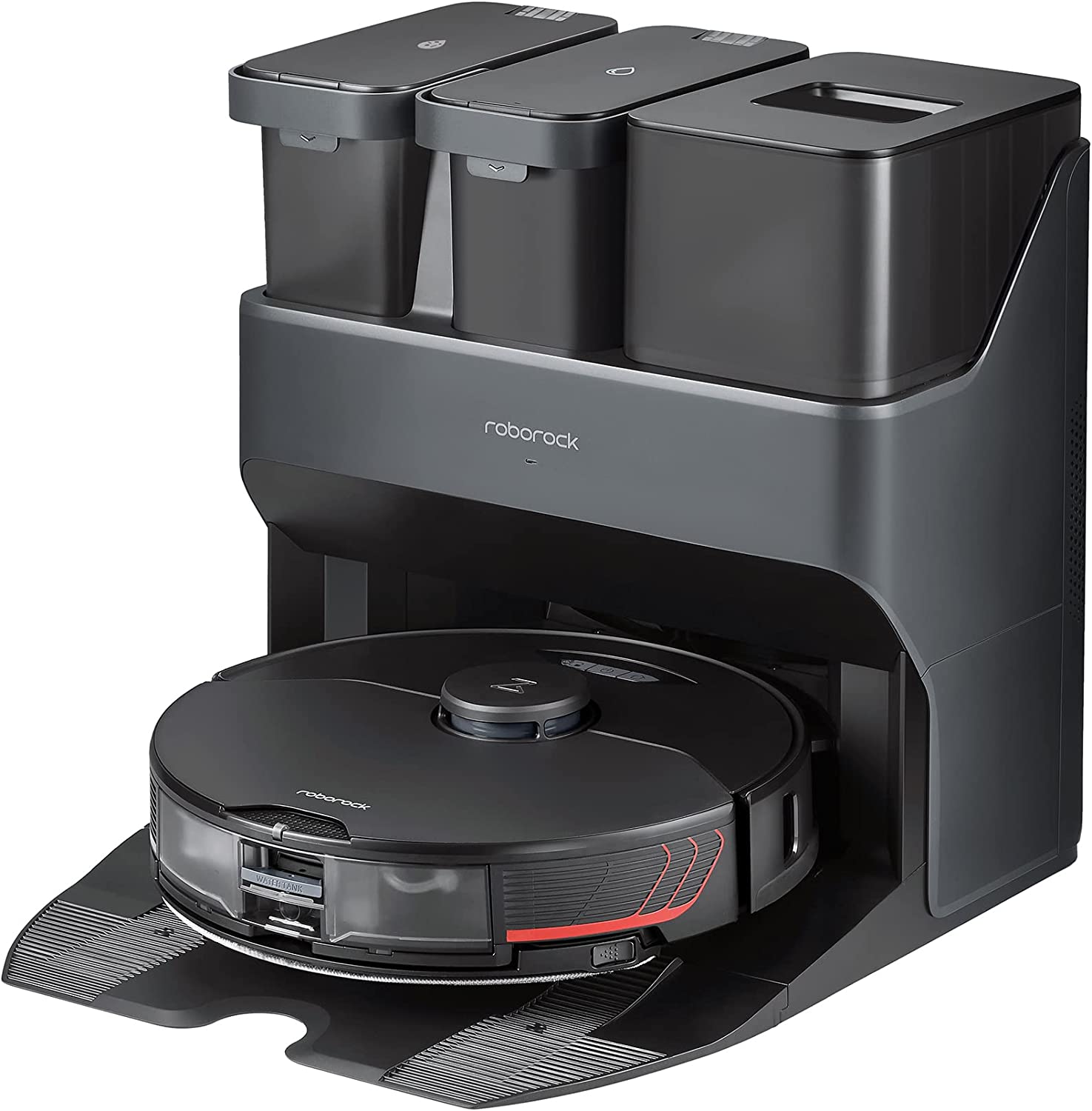
Roborock S7 and Home Assistant Integration


When it comes to keeping your home clean, there's no denying that robotic vacuums have become an increasingly popular option. They're powerful, efficient, and convenient, allowing you to keep your floors spotless with minimal effort on your part. But if you're looking for a robotic vacuum that truly stands out from the rest, then look no further than the Roborock S7 MaxV Ultra Robot Vacuum and Mop.

The Roborock S7 MaxV Ultra is the latest addition to the Roborock family of robotic vacuums, and it's packed with features that are sure to make it one of the best options on the market. The first thing you'll notice about the S7 MaxV is its advanced navigation system. Using laser navigation technology, the S7 MaxV can create a precise map of your home, allowing it to navigate and clean every nook and cranny with ease. It also has advanced obstacle detection, so it can easily avoid furniture and other objects in its path. This means that the S7 MaxV can clean your home more efficiently and thoroughly than many other robotic vacuums.

But the S7 MaxV isn't just good at navigating your home - it's also incredibly powerful. With a suction power of 2000Pa, it can easily pick up dirt, dust, and even pet hair, leaving your floors spotless. And with a high-efficiency filter that captures 99.97% of particles as small as 0.3 microns, it's a great option for homes with allergies and asthma.

Saturday, January 21, 2023

Mailbox Notification Automation


Mailbox theft is a growing concern for many homeowners. Not only can it result in the loss of important mail and packages, but it can also compromise personal information and identity. We have had our mailbox pried open, and have had some packages taken.  The first thing that we did was to replace the mailbox with a stronger locking mailbox.  This makes it harder for people to pry open the box, and it prevents people from reaching their hands in to grab the letters or packages.

But a locking mailbox doesn't completely solve the problem, it just adds barriers to slow potential mail and package thieves.  I also wanted to implement something that would minimize the time that mail remains in the mailbox.  

There are several goals that I wanted to accomplish with these notifications
  1. Generate notifications, on my phone and in the speakers in the house, when new mail is received.
  2. Generate reminder notifications, if new mail has been sitting in the mailbox for too long
  3. Generate notifications, if the mail retrieval door has been left open too long
  4. Turn on the lights in the front of the house (primarily landscape lights) if the mailbox door is opened after midnight.

For these notifications, I needed to determine when the doors, for new mail and the one where the mail is retrieved are opened.  I was able to use two Aeotec SmartThings Multipurpose Sensors to do this.  For the new mail door, I placed the sensor on the right side of the mailbox, where the magnet is mounted to the bottom part of the moving door.


For the mail retreival door, I mounted the sensor on the left side of the mailbox. Since the door has a thick lip, I needed to use some shims to make sure that the sensor aligned with the magnet.


Since these sensors are Zigbee sensors, that rely on RF signals, the metal sides of the mailbox significantly reduced the range for these signals.  The Zigbee controller in the house wasn't able to get data from these sensors.  The mailbox is about 20' from our house, and luckily there is an outlet on the corner near the mailbox.  I added an Enbrighten Zigbee Outdoor Plug-In Switch to my Zigbee network, and plugged it into the outdoor outlet that is closest to the mailbox.  This switch was able to bridge the signals from the sensors in the mailbox to the rest of the network.

With the sensors reporting data, here are the automations that I created

Thursday, January 5, 2023

Triggering Google Assistant Routines from Home Assistant

Introduction:

If you're like me, you probably love the convenience and automation that smart home devices bring to your daily life. One of the best ways to take advantage of these devices is by setting up routines in your smart home assistant, such as Home Assistant.

What is Home Assistant?

Home Assistant is an open-source smart home platform that allows you to automate and control your home's devices and systems. It supports a wide range of devices and services, including popular smart home products like Google Home, Amazon Echo, and Philips Hue. With Home Assistant, you can easily set up routines to automate tasks and make your home more efficient and convenient.

What are Home Assistant routines?

Home Assistant routines are automated actions that are triggered by certain events or conditions. For example, you can set up a routine to turn off all the lights in your house when you go to bed, or to turn on your coffee maker every morning at 6 am. You can even set up routines to control your thermostat, lock your doors, or turn on your security system. The possibilities are endless!

Home Assistant device support

The support for creating automations of the devices in the home is quite powerful and flexible.  One limitation is that it can only control devices where there are integrations with Home Assistant and have been added to the setup.  Unfortunately, not all devices can be directly integrated into Home Assistant. With the 2023.01 version of Home Assistant, now you can trigger Google Assistant commands from Home Assistant.

Google Assistant Routines

One of the primary use cases I have for this integration is triggering Google Assistant routines from Home Assistant.  Since Home Assistant has support for triggering routines with NFC tags, one example of this is triggering the "Good night" Google Assistant routine, when I put my phone on my bedside table.

Printing Across VLANs: A Secure and Scalable Solution

In my previous configuration, I used a CUPS server with multiple network interfaces to enable printing from computers on restricted networks...